from ogarcia@lemmy.world to selfhosted@lemmy.world on 30 May 16:05
https://lemmy.world/post/47543783
If you ever ran eMule or MLDonkey back in the day, this will feel familiar — but it’s built from scratch in Rust on modern infrastructure.
rucio is a decentralized peer-to-peer file sharing app. No trackers, no central servers, no relay nodes for the actual data. Peers find each other and the files through a Kademlia DHT (plus mDNS on the local network), keyword search rides on Gossipsub, and bytes move directly between peers.
I started it partly out of nostalgia and partly because I wanted a P2P stack I actually understood end to end — discovery, transfer, NAT handling, the lot — instead of a black box. It grew into something I now use daily, so I’m putting it out there.
What it does today:
- Fully decentralized — Kademlia DHT over the internet, mDNS on the LAN, no infrastructure to run (though you can run a bootstrap node if you want one).
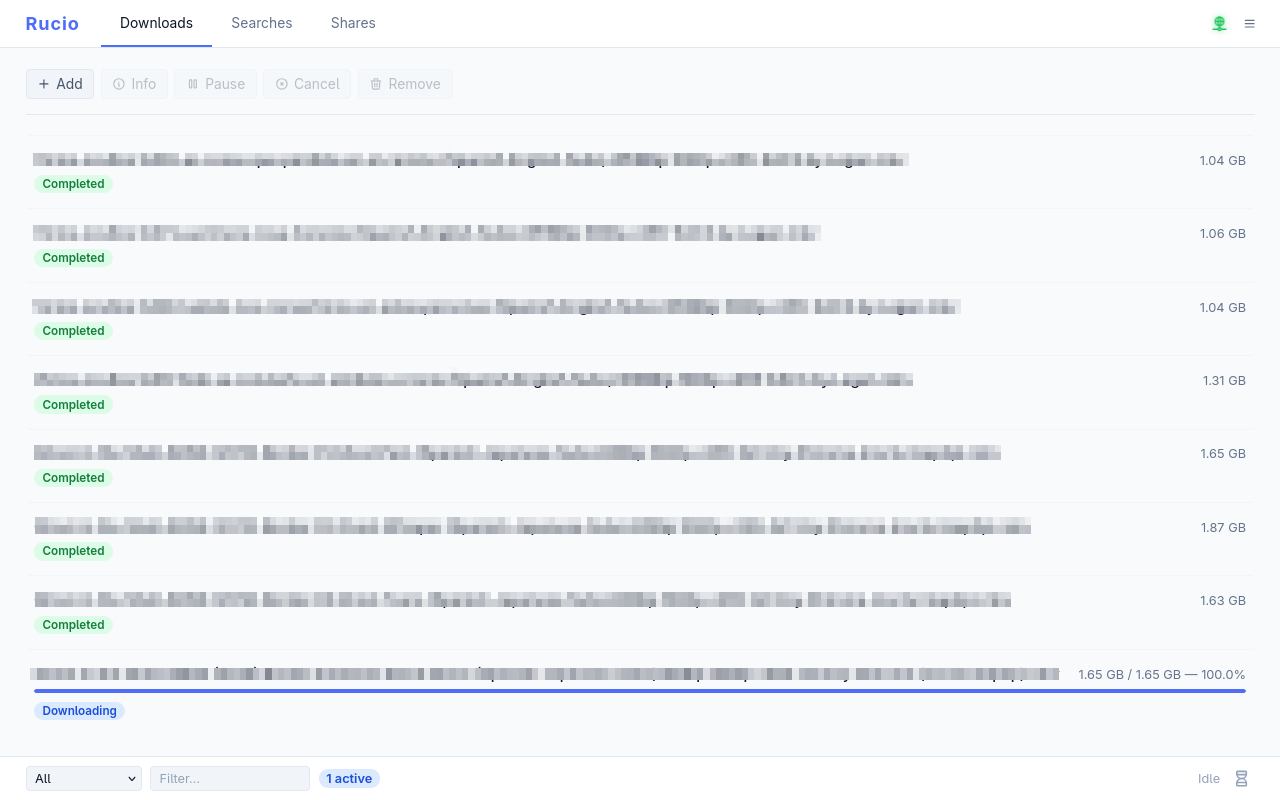
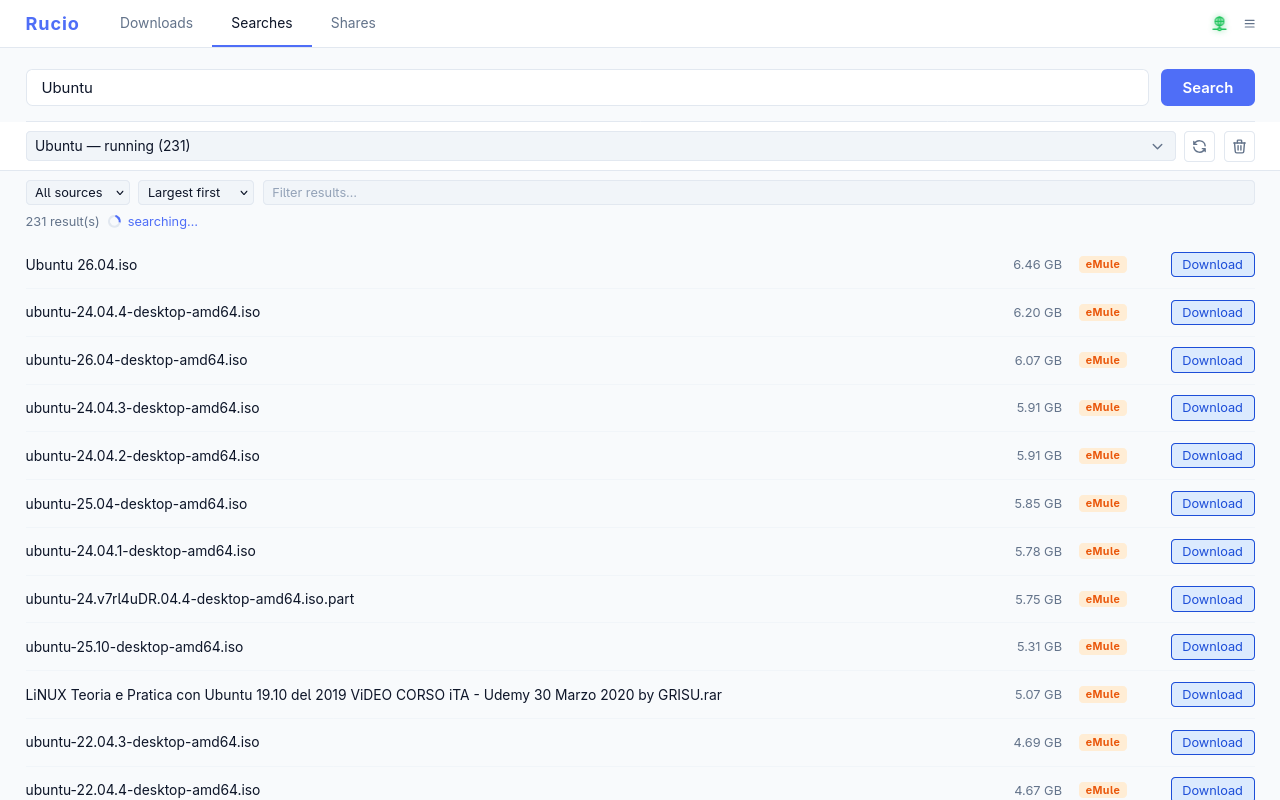
- Web control panel — manage shares, searches and downloads from the browser. It’s served by the daemon itself (Leptos/WASM), no extra process.
- Command-line client — a scriptable
rucioCLI for everything, locally or against a remote daemon. - Magnet links — share any file with a single
rucio:<hash>link, generated entirely offline if you like. - Resumable downloads — interrupted transfers pick up where they left off after a restart.
- Directory sharing — point it at a folder and every file inside gets indexed, hashed and announced automatically.
- NAT-friendly — HighID/LowID-style handling so peers behind NAT can still download; publicly reachable nodes serve chunks to everyone.
- Single binary — the same
ruciobinary is the daemon (ruciod) and the CLI depending on how you invoke it.
The eMule/Kad bridge (the fun part): rucio can optionally talk to the eMule Kad2 network. That means you can search Kad and download ed2k:// links right alongside native rucio transfers. It’s opt-in (a build feature), but it’s there because a chunk of those old files are still out there and still moving.
Some screenshots:
Try it (container):
docker run -d --name rucio \
  -e RUCIOD_API_LISTEN=0.0.0.0:3003 \
  -e RUCIOD_UPNP=false \
  -v rucio-data:/var/lib/rucio \
  -p 4321:4321/tcp \
  -p 3003:3003/tcp \
  -p 4662:4662/tcp \
  -p 4672:4672/udp \
  ghcr.io/ogarcia/rucio:latest
Then open http://localhost:3003/. There are slimmer image flavors too — latest-headless (daemon only), latest-cli (standalone client), and latest-bootstrap (a DHT bootstrap node). Pre-built binaries for Linux and macOS (x86_64 + aarch64) are on the releases page as well.
Note: If you download the precompiled binary from releases, when you extract it, create a symbolic link from ruciod to rucio, and run ruciod for the daemon and rucio for the CLI.
Honest caveats (it’s early):
- I work with AI, so I’m not going to lie to you—there’s some vibe coding involved. I review and go over what I’ve done, but I want to be honest. If you don’t like it, just skip this app.
- This is v0.1.0, pre-1.0 — expect breaking changes (DB schema, API, config) between releases. I’ll happily break things to get them right.
- There is no built-in authentication. If you expose the daemon beyond your own machine, put it behind a reverse proxy with auth (the docs have an nginx + basic-auth example). Keep the API port private otherwise.
- It’s the work of one person so far. Rough edges exist.
Links:
- Source: https://github.com/ogarcia/rucio
- Containers:
ghcr.io/ogarcia/rucio - License: GPL-3.0
threaded - newest
As someone working on an opensource project myself wondering on a few questions
What I have found is that the more a human is involved the better the code, but also the slower it is. So, in my opinion, it is a tradeoff between quality and speed.
I’ll tell you how I do it. That doesn’t mean it’s the best way or anything like that. First, you need to have plenty of unit tests (which the AI can also help with); that ensures that even if the AI makes changes, it has to do so under strict rules. Then, it’s also best to have a technical specifications document where you outline what you want to do and under what conditions.
From there, the next step is to run a thorough set of running tests on the results generated by the AI (because it’s faster than reviewing the code itself). Then, once you have something consistent, you can start tweaking the code yourself.
Ultimately, what I always do is let the AI write the commit message. It’s infinitely better than me summarizing the change, and it’s even easier for me to read.
Did you use any frameworks for the development? In particular any spec driven development framework?
Yes. The first thing I did was create an extremely detailed specification document where I wrote down what I wanted, how I wanted it and where I wanted it. For me, that’s the most important foundation. With that, you’ve already done a lot of the work. In fact, I even go so far as to write pseudocode in some cases.
From there, you use that as your ‘bible’ and stick to the script you’ve written for yourself. Obviously, as you go along, unforeseen issues may arise, and in that case, make a note in the spec, find the best approach, and carry on.
This is great, thanks